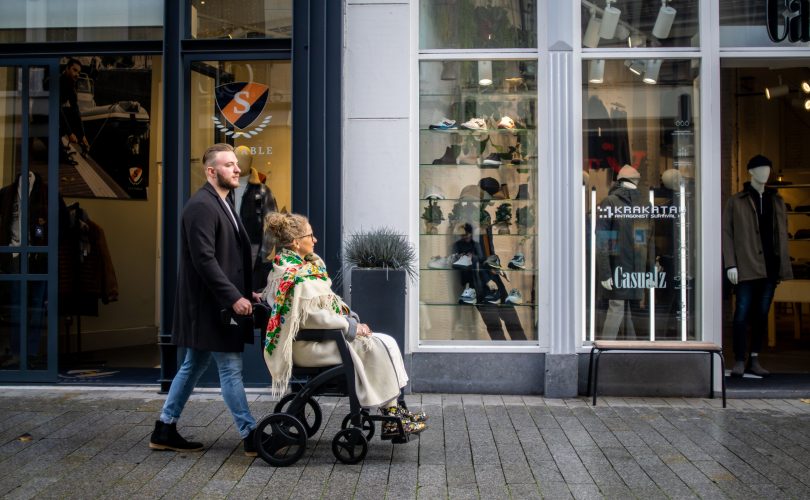
How to Make Your Retail Store More Accessible and Welcoming for All
For local store owners, regional retail managers, and eCommerce operators, accessibility can feel like a moving target, especially when storefront standards and digital experiences don’t line up. Customers with disabilities often face shopping challenges that others never notice, from physical barriers that make aisles, entrances, or checkout stressful to digital accessibility gaps that turn browsing and payment into dead ends. The tension is real: retailers enhancing accessibility need changes that protect brand standards and budgets without slowing daily operations. Inclusive retail design helps build a store that more people can enter, understand, and enjoy with confidence.
Build an Accessible Store in 5 Practical Steps
This process helps you improve access across your store layout, digital tools, and customer service without needing a total remodel. It matters because small, coordinated upgrades can remove friction for many shoppers while making your experience easier for everyone to use.
- Walk the full customer journey and list barriers
Start at the parking area or sidewalk and follow the same path a shopper would take through the door, aisles, fitting room, and checkout. Write down anything that could cause confusion or strain, such as tight turns, hard-to-read signage, glare, or noisy service counters. This becomes your prioritized punch list for changes you can schedule and budget. - Make navigation clearer with layout, signage, and tactile cues
Choose a simple, consistent aisle plan and keep key paths wide and uncluttered so customers can move predictably. Add high-contrast signs at decision points and place tactile maps or braille labels for essential areas like restrooms, customer service, and fitting rooms. Clear wayfinding reduces the need to ask for help and speeds up shopping. - Add voice-assisted help for product finding and store info
Offer at least one hands-free option, such as a voice-enabled kiosk, a voice-supported store app, or a QR-triggered audio directory that reads departments and services aloud. Keep prompts short and ensure the voice flow can answer common questions like “Where is checkout?” and “Do you have this in another size?” This supports shoppers who benefit from audio guidance and helps busy teams handle routine requests. - Train staff on accessible service, then practice it
Teach a few repeatable behaviours: ask before assisting, speak directly to the customer, describe directions clearly, and offer alternative formats when possible. Run quick role-plays for common moments like returns, fitting rooms, and POS assistance so employees build confidence. Consistent service often matters as much as any physical change. - Upgrade the digital layer: AR try-ons and accessible checkout
If you use vendors for shopping apps, AR try-ons, or payment tools, screen them for accessibility basics before you sign or renew contracts. The accessibility statement gives you a simple starting point for comparing whether a provider publicly commits to accessible design and support. Then test mobile payments in real conditions, confirming readable text, clear error messages, and a checkout flow that does not rely on tiny taps.
Make Product Photos Easier to Judge with AI Upscaling
Once your store experience is more accessible overall, the next win is making it easier for shoppers to visually evaluate what you sell, especially online. AI image optimisation tools can sharpen and standardise product photos so they’re clearer and more visually accessible for people with disabilities who rely on strong visuals to examine items and choose confidently. An AI image upscaler boosts resolution and improves clarity, which can make small details (like texture, stitching, or fine print) easier to see without turning the image blurry. That matters when shoppers need to zoom in: upscaling helps enlarged photos preserve detail and visual quality instead of breaking down into pixelation. If you want a concrete example of this kind of tool, the Adobe Firefly AI photo upscaler tool is designed to enhance image resolution while keeping results crisp.
Launch-Ready Accessibility Checklist
A quick checklist helps you catch gaps before customers do and makes accessibility upgrades easier to maintain across teams. It is worth it because insufficient color contrast affects 79.1% of homepages, and small fixes can dramatically improve clarity.
✔ Confirm entrances, aisles, and checkout routes allow easy wheelchair navigation
✔ Review signage and price labels for readable fonts and high contrast
✔ Set product photos to zoom cleanly and show true-to-life details
✔ Add descriptive alt text and clear names for every product image
✔ Test your site and kiosk flow using keyboard-only navigation
✔ Provide a quiet, well-marked space for support and questions
✔ Train staff to offer assistance respectfully and consistently
Check these off, then celebrate a store experience more people can enjoy.
Retail Accessibility Questions, Answered
Q: What if I can’t afford a full accessibility remodel right now?
A: Start with the biggest barriers and the lowest-cost fixes: clearer signs, better lighting, decluttering pathways, and staff training. Create a simple monthly plan so improvements don’t stall. Small changes done consistently can add up fast.
Q: How do assistive technologies help in a retail store?
A: They can make shopping easier for more people, like hearing assistance at checkout, screen readers for kiosks, or magnification on product displays. The growing assistive technology market also means more options and competitive pricing over time. Pilot one tool in a high-traffic area and track customer usage.
Q: What does “inclusive design” mean for day-to-day store decisions?
A: It means designing experiences to be usable and understandable for as many customers as possible. In practice, that’s straightforward layouts, flexible service options, and information that’s easy to see, hear, and navigate. When in doubt, choose the clearer, simpler path.
Q: How can I gather customer feedback on accessibility without making it awkward?
A: Offer multiple ways to share input: a short QR survey, a comment card, and an email address monitored weekly. Ask specific questions like “What was the hardest part of your visit today?” and “What would make checkout easier?” Post a small sign that says you welcome accessibility suggestions.
Q: Should I worry about legal compliance if I’m still improving?
A: Yes, but don’t let that stop you from starting. Document what you’ve changed, what’s scheduled, and who owns each task, then consult a qualified professional for requirements that apply to your space and website. A clear roadmap shows good-faith progress.
Make One Accessibility Upgrade and Measure the Impact Over Time
Retail can’t please every shopper with a single fix, and accessibility work can feel endless when budgets, time, and uncertainty collide. The practical path is the mindset this guide has emphasised: start with customer-led improvements, follow through consistently, and keep gathering feedback so an inclusive retail culture becomes routine. Done well, the retail accessibility impact shows up in fewer friction points, a calmer team, and an enhanced shopping experience for more people. Accessibility is built through small, steady changes guided by real customer feedback. For local store owners, regional retail managers, and eCommerce operators, accessibility can feel like a moving target, especially when storefront standards and digital experiences don’t line up. Customers with disabilities often face shopping challenges that others never notice, from physical barriers that make aisles, entrances, or checkout stressful to digital accessibility gaps that turn browsing and payment into dead ends. The tension is real: retailers enhancing accessibility need changes that protect brand standards and budgets without slowing daily operations. Inclusive retail design helps build a store that more people can enter, understand, and enjoy with confidence.


Megan is a content writer and founder of www.reallifehome.net She writes articles on Home & Garden, DIY, Business and Mental Health.